Before You Start
HappyMod is distributed as an Android APK file, so the installation flow is a little different from installing an app through Google Play. Use the official download page, keep your network connection stable, and only allow installation permission for the browser or file manager you are using right now.
- Download only from happymod.studio or the official link shown on this website.
- Make sure your Android device has enough free storage for the APK and app data.
- If Android shows a security prompt, read it carefully and continue only when the file name matches HappyMod.
Install HappyMod With Screenshots
These screenshots show the normal Android installation path. Button labels may vary slightly by phone brand or Android version.
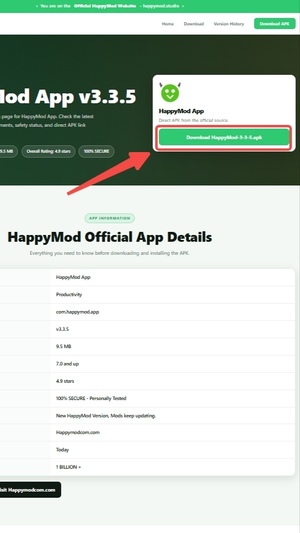
Download the official APK
Open the HappyMod download page and tap the APK download button. Wait until the browser finishes downloading the file before opening it.
- Do not rename the APK during download.
- If the download pauses, resume it from your browser downloads screen.
Open the downloaded file
After the APK is downloaded, tap the file from the browser notification, browser downloads list, or your phone file manager.
- The file should be a HappyMod APK package.
- If you cannot find it, check the Downloads folder.
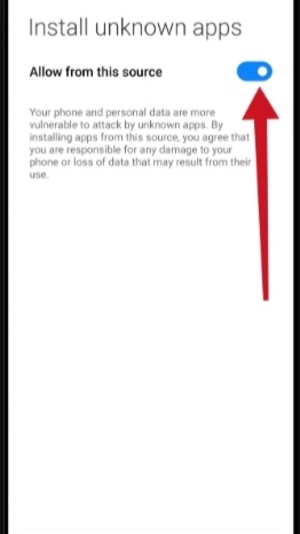
Allow installation from this source
If Android blocks the install, open the permission prompt and allow installation from the current browser or file manager. This permission is only needed so Android can install the APK.
- Grant permission only to the app you used to open the APK.
- You can turn this permission off again after installation.
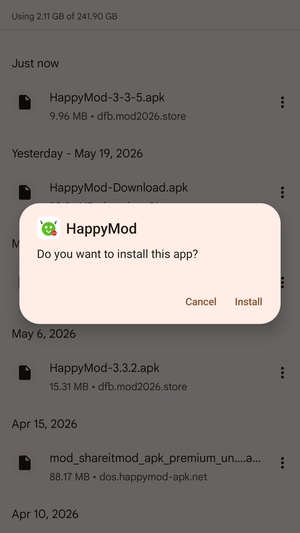
Install and open HappyMod
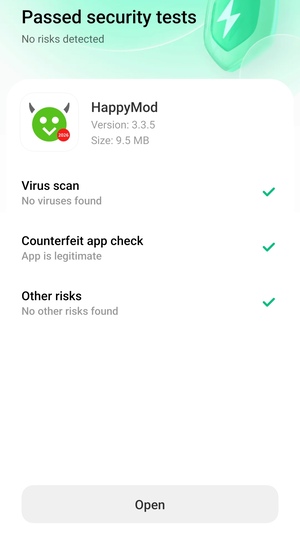
Return to the APK installer, tap Install, and wait for Android to finish. When installation is complete, tap Open to launch HappyMod.
- If the install button is unavailable, close screen overlays or floating apps and try again.
- If Android says the app was not installed, restart the phone and download a fresh copy.
Troubleshooting
- Download failed: switch to a stable Wi-Fi or mobile network, then download again from the official page.
- Cannot open file: use your phone's Downloads folder or file manager to find the APK.
- Install blocked: allow installation from the browser or file manager that opened the APK.
- App not installed: remove old incomplete APK files, restart Android, and try the latest version again.
Installation FAQ
Is it safe to allow unknown app installation?
Android shows this prompt for APK files installed outside Google Play. Only allow it for the browser or file manager you used to open the official HappyMod APK, then disable the permission later if you prefer.
Why does my phone show different wording?
Samsung, Xiaomi, OPPO, vivo, Pixel, and other Android devices can use slightly different labels, but the flow is the same: download the APK, allow the source, install, then open.
Which version should I install?
Most users should install the latest version from the official download page. Older versions are available from the version history page when you need a specific build.
Need Help?
Contact email: support@happymod2026.com
Complaint email: happymoddmc@outlook.com
Last updated: May 20, 2026